
Install GitLab Runner on OpenShift
Introduced in GitLab 13.3.
You can install GitLab Runner on Red Hat OpenShift v4 and later.
When you’ve completed this process, you can run your CI/CD jobs in GitLab by using the runner you’ve installed in OpenShift.
Prerequisites
- OpenShift 4.x cluster with administrator privileges
- GitLab Runner registration token
Install the OpenShift Operator
First you must install the OpenShift Operator.
- Open the OpenShift UI and log in as a user with administrator privileges.
- In the left pane, click Operators, then OperatorHub.
-
In the main pane, below All Items, search for the keyword
GitLab.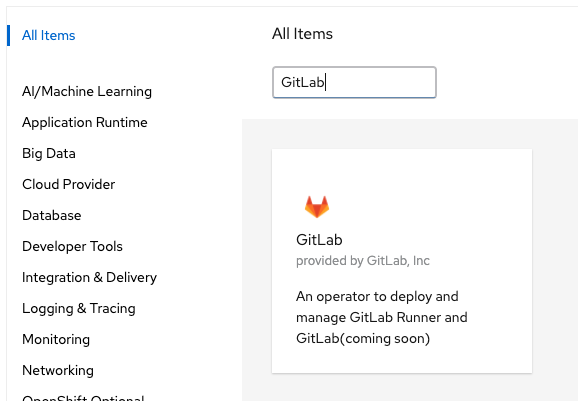
- To install, click the GitLab Operator.
- On the GitLab Operator summary page, click Install.
-
On the Install Operator page, under Installed Namespace, select the desired namespace and click Install.
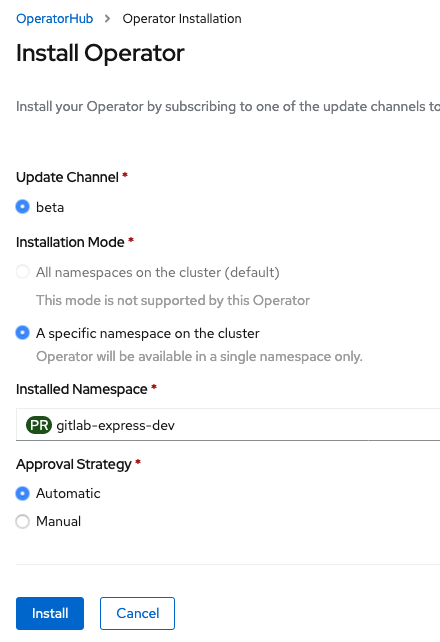
On the Installed Operators page, when the GitLab Operator is ready, the status changes to Succeeded.

Install GitLab Runner
Now install GitLab Runner. The version you’re installing is tagged as the latest in the Red Hat Ecosystem Catalog container list.
- Obtain a token that you’ll use to register the runner:
- For a shared runner, have an administrator go to the GitLab Admin Area and click Overview > Runners.
- For a group runner, go to Settings > CI/CD and expand the Runners section.
- For a project-specific runner, go to Settings > CI/CD and expand the Runners section.
- Under Use the following registration token during setup:, copy the token.
-
Open an OpenShift console and switch to the project namespace:
oc project "PROJECT NAMESPACE" -
Use the following command with your Runner token:
oc create secret generic gitlab-runner-secret --from-literal runner_registration_token="xxx" -
Create the Custom Resource Definition (CRD) file and include the following information. The
tagsvalue must beopenshiftfor the job to run.cat > gitlab-runner.yml << EOF apiVersion: gitlab.com/v1beta1 kind: Runner metadata: name: gitlab-runner spec: gitlab: url: "https://gitlab.example.com" token: gitlab-runner-secret tags: openshift EOF -
Now apply the CRD file by running the command:
oc apply -f gitlab-runner.yml